
Affiliate Marketing
October 15, 2026
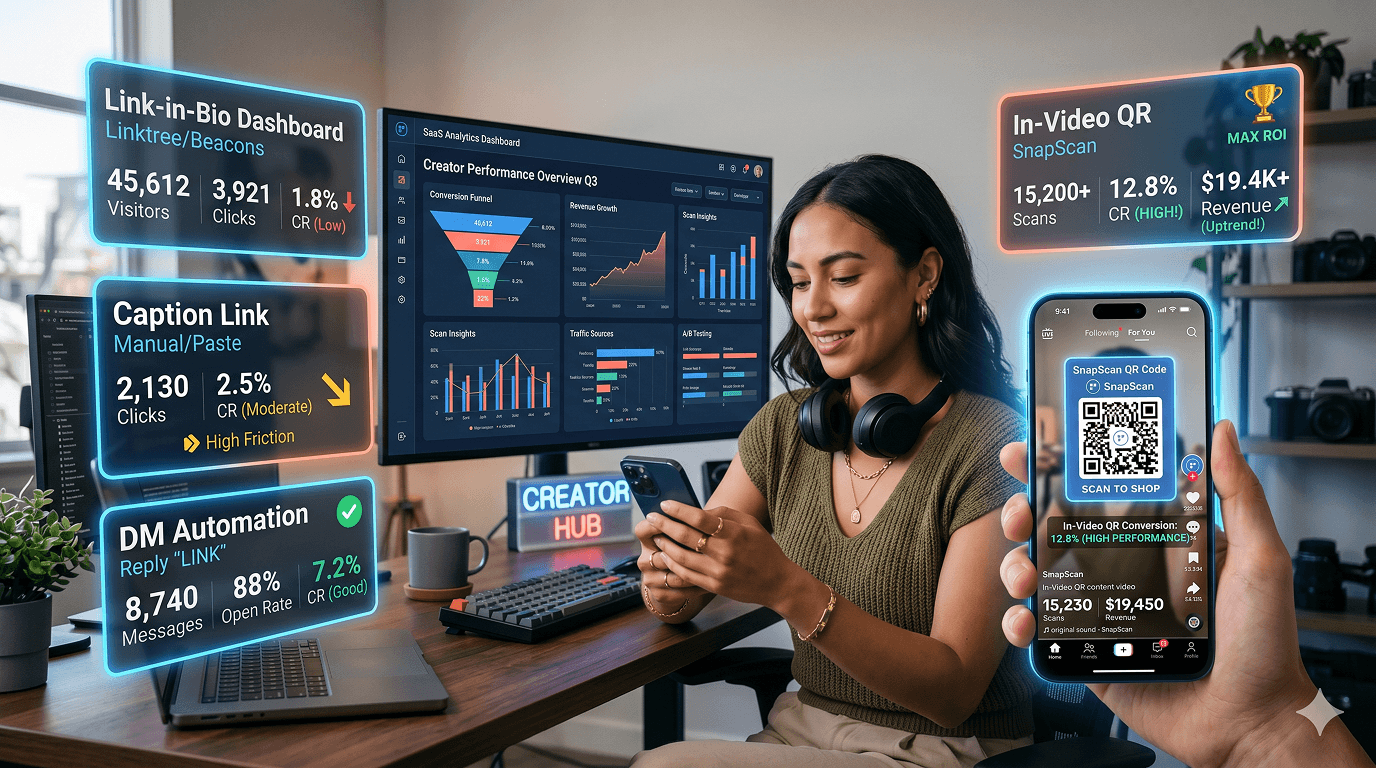
If you've been posting on TikTok, Instagram, or YouTube Shorts for any meaningful amount of time, you've run into the same wall every creator runs into: you can't put a clickable link where people can actually see it, and this is the root cause of the "link in bio not working" problem.
So you do what everyone does. You set up a Linktree (or a Beacons, or a Stan store, or whatever the current recommendation is), drop the URL in your bio, and tell your audience to check the link in bio.
And it kind of works. Sort of. For some of the people who are already following you and already know where to look.
But if you're reading this, you've probably noticed that most people don't make it there. The views are there. The interest seems to be there. The conversions aren't.
This post is an honest breakdown of every workaround creators are currently using, what each one actually does and doesn't do, and what a real alternative to link-in-bio looks like for short-form video in 2026.
Link-in-bio tools exist because Instagram - and later TikTok - didn't allow clickable links in post captions. Creators needed somewhere to send traffic, and a single bio link was the only option. So they started using it for everything: product links, blog posts, affiliate offers, course enrollments, booking pages ...etc.
The tools got smarter. Linktree added analytics. Beacons added embedded storefronts. Stan added digital product delivery. Now you can run a lot of your business through a link-in-bio page.
But the fundamental problem was never "creators need more links". It was "viewers won't follow five steps to click a link." And that problem never got solved - it just got organized.
As Stan's own blog notes: "Native links are static. They offer little insight into what is working, no control over how traffic flows, and no built-in way to turn interest into something you own."[1] And that's a company selling link-in-bio tools being honest about their limits.
Before looking at a real alternative, it's worth being honest about what creators are currently using and where each one breaks down. These are the most common conversion tools creators are using right now.
A separate landing page - hosted on a third-party domain - that aggregates all your links in one place. Whether you’re looking for a Linktree alternative, a Beacons alternative, or a Stan Store alternative - these tools all follow the same model: a single bio link pointing to a page of links. The tools differ in features, but the core funnel problem is identical.
Profile discovery, branded link hubs, organizing multiple offerings, capturing people who are already fans and willing to spend the time navigating from one link to another.
It does nothing for the discovery audience - the people who found your content through the algorithm and don't follow you. It requires 5–6 steps from video to action. And it gives you almost no attribution data, as an attribution leakage is common: “clicks reported by the platform may include bot traffic, ad clicks, or cross-posting from other channels”. [5]
Some creators have reported reduced visibility or additional friction when relying heavily on third-party link hubs. The platform also hides 4 of 5 bio links behind a “see more” tap - further reducing bio link visibility.
Putting a URL directly in your video caption, or posting it as a pinned comment, so viewers don't have to navigate to your profile.
YouTube supports clickable links in long-form video descriptions, making it one of the few major platforms where this approach works reliably. However, links in YouTube Shorts descriptions and comments (which is our major concern) are not clickable.
On Instagram and TikTok, links placed in captions or comments are generally non-clickable, so creators often use shortened URLs and hope viewers will manually type them in, which most don't. Typing a URL while watching a video is more friction than going to a bio. Additionally, social platforms have strong incentives to keep users on-platform, which has fueled long-standing concerns among marketers that outbound links may receive less distribution or engagement.
Pinned comments get buried when other comments arrive, and they still require the viewer to stop watching, scroll to comments, and manually copy or follow a link.
Using a tool like ManyChat or a similar service to auto-DM a link to anyone who comments a specific keyword on your post. You tell viewers in the video: "comment with the words 'free guide' and I'll DM you the link."
This is genuinely effective. Research from CreatorFlow (based on 1,200+ campaigns, Q4 2025) shows DM automation averaging 12–18% CTR versus bio links averaging 2–3% - a significant real-world gap. [3] It keeps people in the app (they comment, they get a DM - all on-platform), and it generates engagement signals TikTok and Instagram reward.
It requires the viewer to take an active step (commenting), which many won't do. It works best for high-intent audiences and high-value offers. For impulse purchases, low-friction offers, or non-follower audiences, the comment step still adds friction. It also doesn't provide video-level attribution - you know who DM'd, but not which specific moment in which video convinced them.

Every option above has the same structural issue: the conversion action happens somewhere other than where the interest was created.
The video creates the desire. But the action (the click, the DM, the purchase) happens later, in a different context and place, after the emotional peak has already passed.
Every step between "I want this" and "I got it" is a step where someone can decide not to bother. And research consistently shows that most people don't bother.
Baymard Institute's cart abandonment research (2024) found that “70.22% of online shopping carts are abandoned - with process friction as a top cause”. [6] These are people who'd already committed to buying. For casual social media viewers who haven't fully decided yet, the abandonment rate is steeper.
"The best link-in-bio alternative isn't a better link page. It's removing the need for a link page entirely." The goal is to replace link in bio with something that works where the intent is.”
The approach that actually changes the math is embedding the conversion action inside the video itself, so the viewer can act at the exact moment they're most interested, without leaving the platform or navigating anywhere.
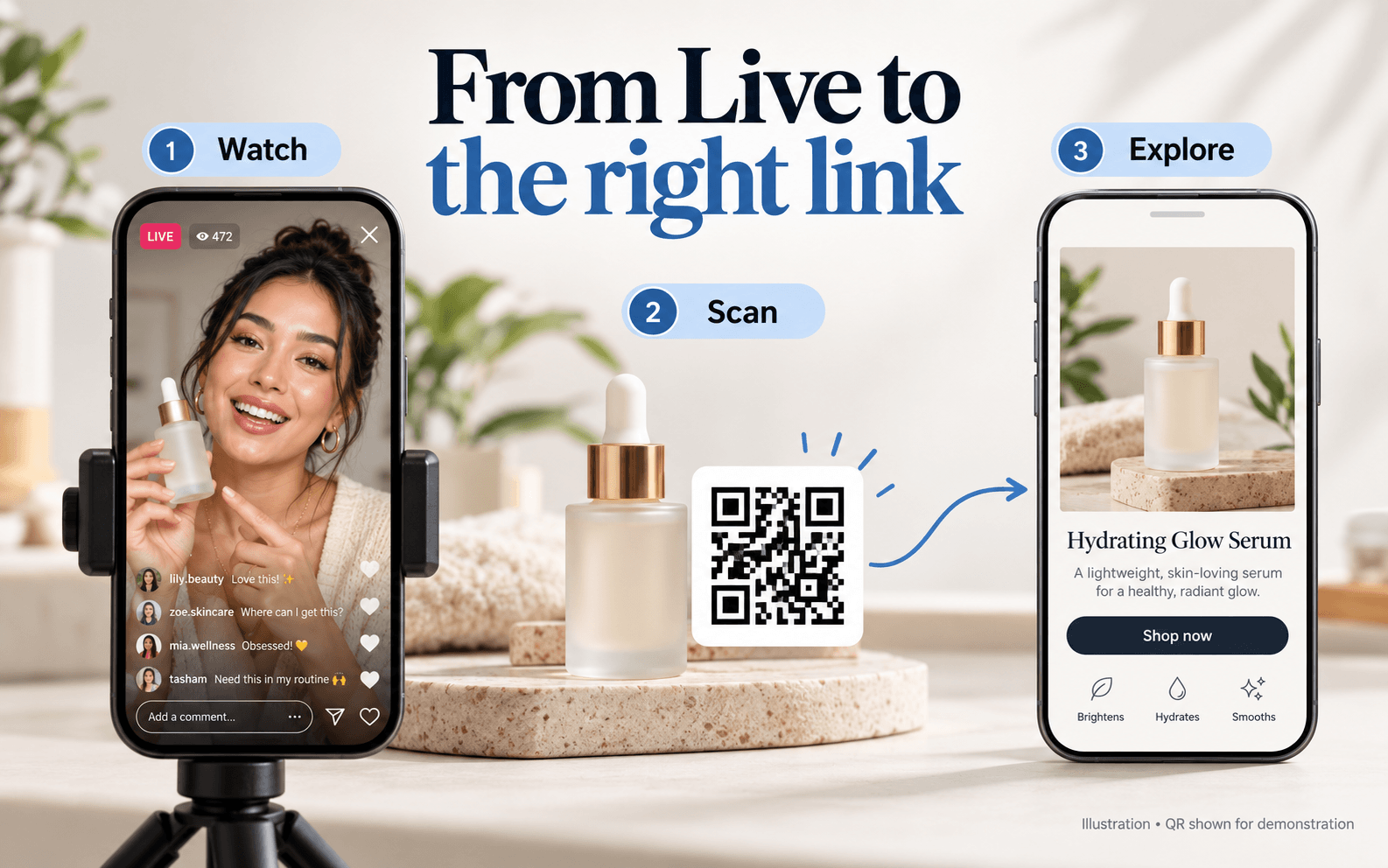
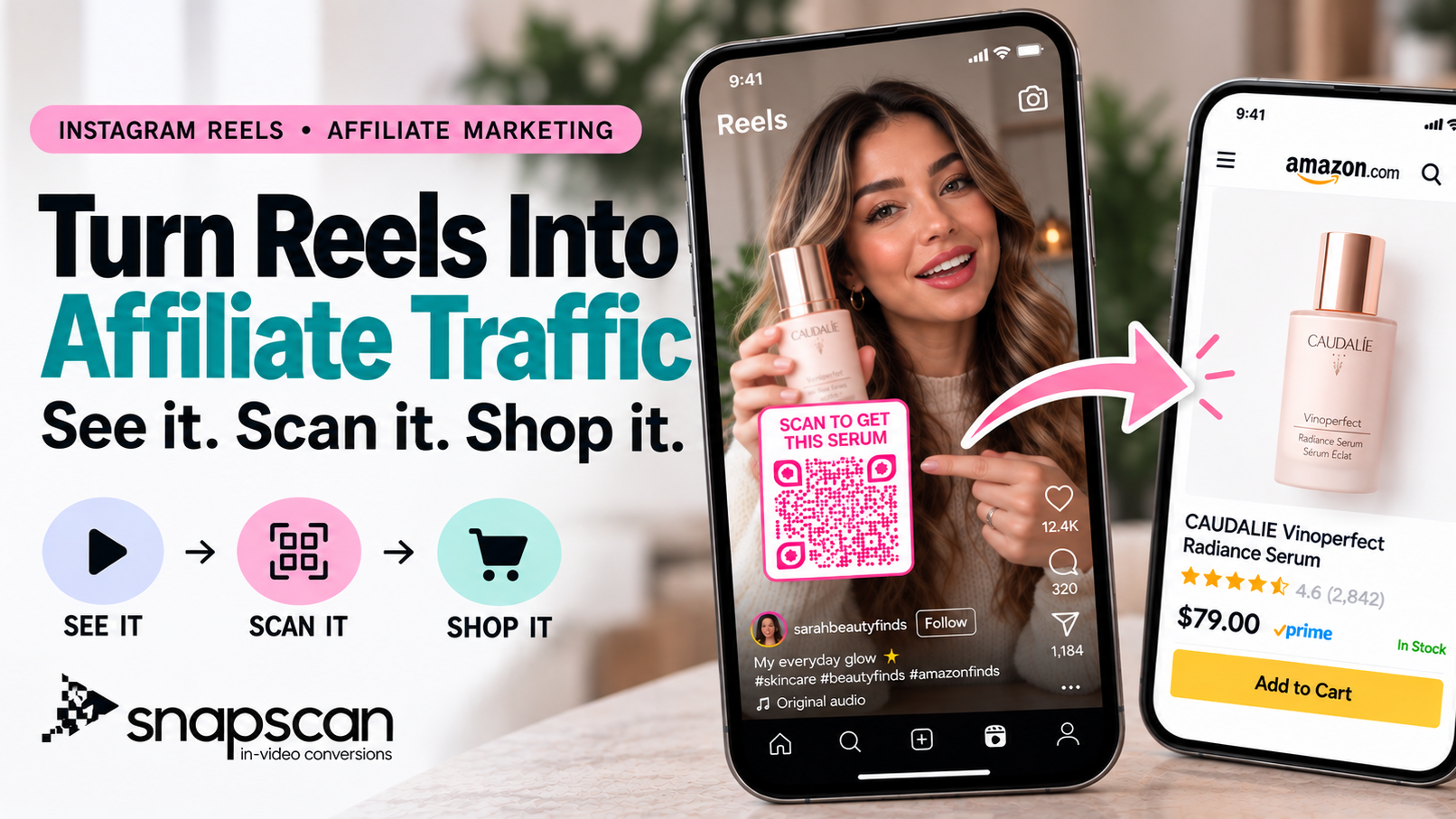
This is what in-video QR codes do. A scannable QR code appears in the video frame - visible while it plays, placed in a screen zone not covered by the platform's UI. The viewer scans it with their camera (or by screenshotting and using Google Lens), and lands directly on the destination: product page, checkout, opt-in form, booking calendar, download, WhatsApp.
No bio. No link page. No navigation. The action happens during the video, at the exact moment the content created the desire Viewers convert without a profile visit - straight from screen to destination.
According to SnapScan's own modeling, this approach generates an in-video scan rate of approximately 4.5% versus the typical 1% link-in-bio click rate from the same audience, a 4.5× improvement attributed entirely to removing steps from the conversion path. Creators and brands can subscribe the free trial in the platform through SnapScan’s free version.
 Link-in-Bio Method Comparison
| Method | Steps | Clickable | Attribution | Best For |
| Linktree / Bio Tools | 5-6 | Yes | Limited | Existing followers |
| Pinned Comment | 4-5 | Limited | Low | Community engagement |
| DM Automation | 2-3 | Yes | Medium | High-intent offers |
| In-Video QR (SnapScan) | 1-2 | Yes | High | Discovery audiences |
The QR approach isn't perfect for every use case - some offers (high-ticket services, complex B2B tools) benefit from the warm-up that DM automation or multi-step funnels provide. But for products, courses, digital downloads, bookings, and anything where the purchase decision can happen in the moment, in-video QR is structurally more effective than any link-based workaround.
For most creators posting short-form content with a conversion goal, the most effective setup is a combination: a link-in-bio page as a permanent hub for profile visitors, DM automation for high-intent comment-driven campaigns, and in-video QR codes on content that's driving active product or offer promotion. That combination is what a smart video CTA strategy looks like in 2026.
Each tool solves a different part of the problem. The mistake is treating any one of them as a complete solution. The goal is to turn video views into conversions - and that takes the right tool at the right moment. Choosing the right TikTok bio link alternative depends on your goal and audience.
Not every creator has the same goal. The best creator link tools depend on how you build and who you reach. Here's a direct breakdown by creator type:
Snapscan In-video QR is your strongest option. Affiliate marketing lives or dies on impulse - the scan happens during the review, at the exact moment desire is highest. Attribution is clean: every scan links back to the specific video that drove it, which makes optimizing for affiliate revenue actually measurable. For high-ticket affiliate offers, pair it with DM automation for the viewers who comment instead of scanning.
DM automation works well for coaches because the relationship starts with a conversation. But in-video QR is stronger for lead capture - a viewer watching your free content and feeling the pull to work with you can scan directly to your booking calendar or discovery call page. The conversion happens while your expertise is on screen, not after they've navigated five steps away from it.
In-video QR is the closest thing to TikTok Shop's native checkout experience for products that aren't listed on TikTok Shop. Viewers scan during the product demonstration - packaging reveal, application, unboxing - and land directly on the product page. For brands running multiple SKUs, dynamic QR codes let you change the destination after the video is live without re-editing anything.
If you're already selling on TikTok Shop, in-video QR extends the same frictionless model to everything outside TikTok's commerce ecosystem - affiliate offers, email list sign-ups, external product pages, or booking links. Run both in parallel: TikTok Shop for listed products, SnapScan for everything else. You keep the in-app experience where it works and add a conversion path where it doesn't.
YouTube Shorts creators have fewer options than TikTok or Instagram creators - Shorts descriptions and comments don't support clickable links, and the channel bio is buried deep in the profile. In-video QR is currently one of the only ways to make a Shorts viewer converts on the spot, because the code lives inside the video frame itself. For long-form YouTube, QR codes in the video combined with clickable description links give you two conversion paths instead of one.
REFERENCES
[1] Stan Blog - "Best Link in Bio Platforms for Creators and Businesses Compared" (April 2026) https://stan.store/blog/best-link-in-bio-platforms/
[3] CreatorFlow - "Bio Link vs DM Automation: More Affiliate Clicks?" (May 2026) https://creatorflow.so/blog/bio-link-vs-dm-automation-affiliate-clicks/
[5] Tapmy - "Link in Bio Click-Through Rate Benchmarks by Platform" (2026) https://tapmy.store/blog/link-in-bio-click-through-rate-benchmarks-by-platform-2026-data
[6] Baymard Institute - "Main reasons why consumers abandon orders during checkout" (2024) https://baymard.com/lists/cart-abandonment-rate
[7] SnapScan - Product documentation and conversion methodology https://snapscan.link
October 15, 2026
October 5, 2026
September 25, 2026