Affiliate Marketing
September 25, 2026

You post a Reel reviewing a pair of boots. You show how they fit. You explain whether they're comfortable. You style them with two outfits. Someone watching thinks: “I want those.” Then the video ends with: “They're linked in my LTK.” The viewer's interest is already there. But now they have another job. They need to leave the video, find your profile, find your LTK link, open your Shop and then identify the same pair of boots they just watched you review.
For LTK creators, that gap matters. LTK gives creators a personalized Shop and tools for creating shoppable links and Collections. It also specifically recommends cross-promoting your Shop across social channels and using video to help increase visibility. LTK remains the shopping destination. It's creating a shorter path from the product review to LTK. Instead of:
Video → Profile → Bio → LTK Shop → Find product you can create: Video → Scan → Relevant LTK destination This guide explains how.
Make the destination as easy to reach as the recommendation is to understand. If your Reel, TikTok or Short features one specific product, direct viewers to the most relevant LTK destination rather than asking them to search your entire Shop. You can still use your LTK link in bio, Stories and other normal distribution methods. But you can also place a trackable QR directly inside the product-review video.
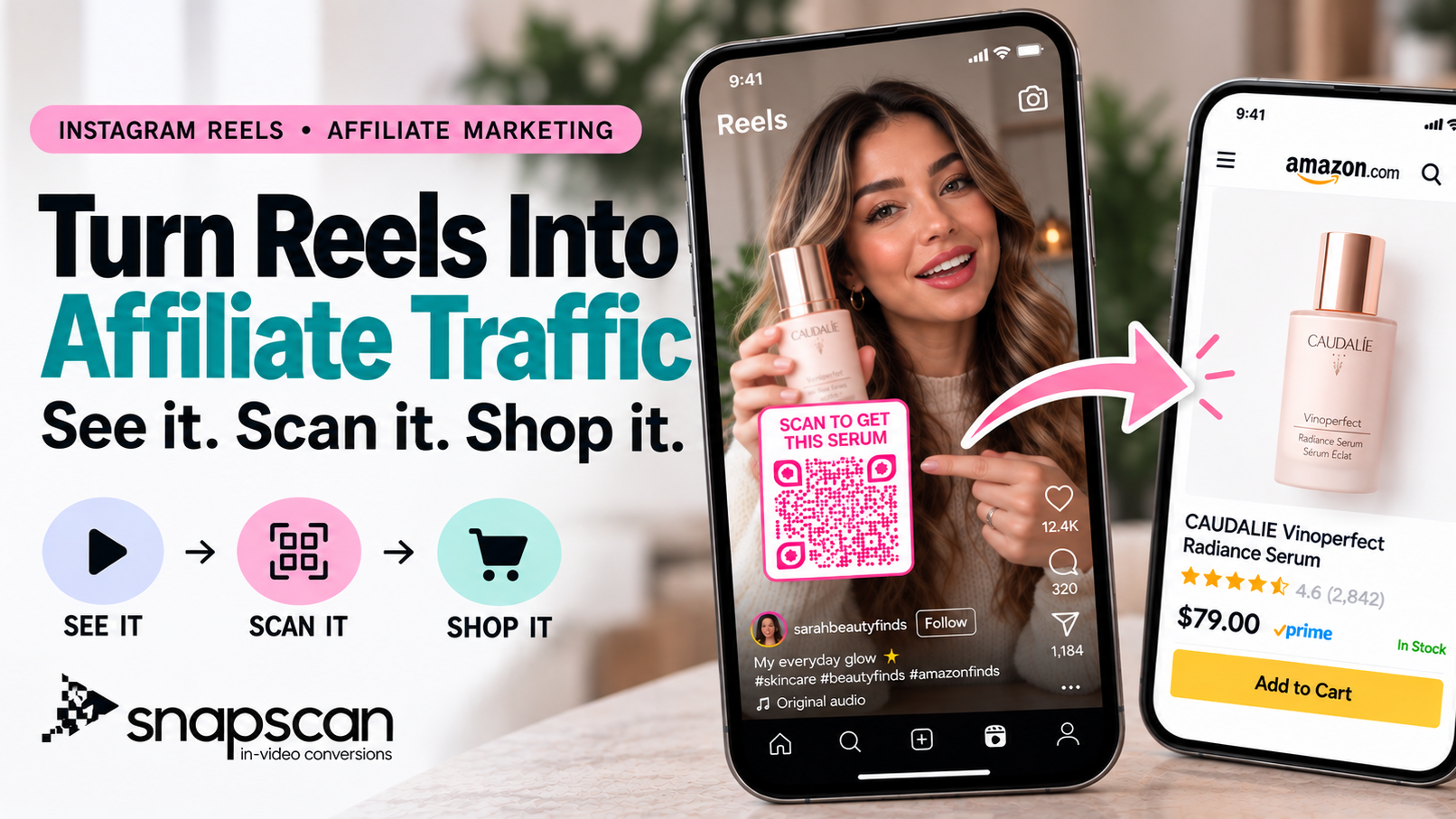
For example: SHOP THESE BOOTS QR code linked to the matching LTK destination The viewer can go from: Product review → QR → LTK destination without first navigating through your profile. SnapScan combines destination links, QR customization, placement, timing and export. Use a separate QR for each video to review scan activity. A QR is scannable; it does not make the video itself a clickable link. Same-phone viewers need a screenshot or supported screen-search tool.
Create your LTK video QR with SnapScan
Product reviews do something a static product link cannot. They create context. A shopper doesn't just see a pair of jeans. They see: how they fit, how they move, what they look like from different angles, how you styled them and why you recommend them. The same applies to: Beauty: What does the shade actually look like?
Home: Does the organizer actually solve the problem? Fashion: How does the item fit? Tech: How does the product perform? Travel: What do you actually pack? Fitness: How do you use the equipment? That's why video can be such a useful bridge into an LTK Shop. LTK itself encourages creators to add video and notes that styling tutorials or education around a favorite product can help increase visibility. It also advises creators to link exact products and cross-promote their Shop on social channels.
The problem starts when the video is specific but the next step is generic.
Imagine someone watches:
At the end you say: “Link in bio.” Your bio might lead to an LTK Shop containing: jackets, jeans, makeup, boots, handbags, home products and dozens of recent posts. The viewer now has to search again. A better CTA would be: SHOP THESE BOOTS And ideally the destination should match that promise. That's the central principle of this strategy:
A video about one product should ideally lead to that product or its immediately relevant LTK post. A video about an outfit can lead to that look. A video about five products can lead to a Collection containing those five items.
There isn't one correct method. The strongest creator strategy will often use several.
Your main LTK Shop link is useful because it provides a persistent destination for followers who intentionally visit your profile. Keep the Shop link easy to identify when people visit your profile. The limitation is that viewers discovering an individual Reel or TikTok still need to navigate from that video to your profile. Your bio remains useful.
It simply doesn't need to be your only path. For a broader comparison, read Best Link in Bio Alternative for TikTok, Reels & Shorts at https://www.snapscan.link/blog/link-in-bio-alternative.
When a platform gives you a clickable link placement, use it. A Story can be particularly useful for supporting a Reel or promotion. The limitation is context: someone discovering the original product review later may not also encounter the related Story.
For some campaigns, you can ask viewers to comment a word to receive the link. For example: “Comment BOOTS and I'll send you the link.” That can work well when conversation is part of the strategy, but it introduces another interaction before the viewer reaches LTK.
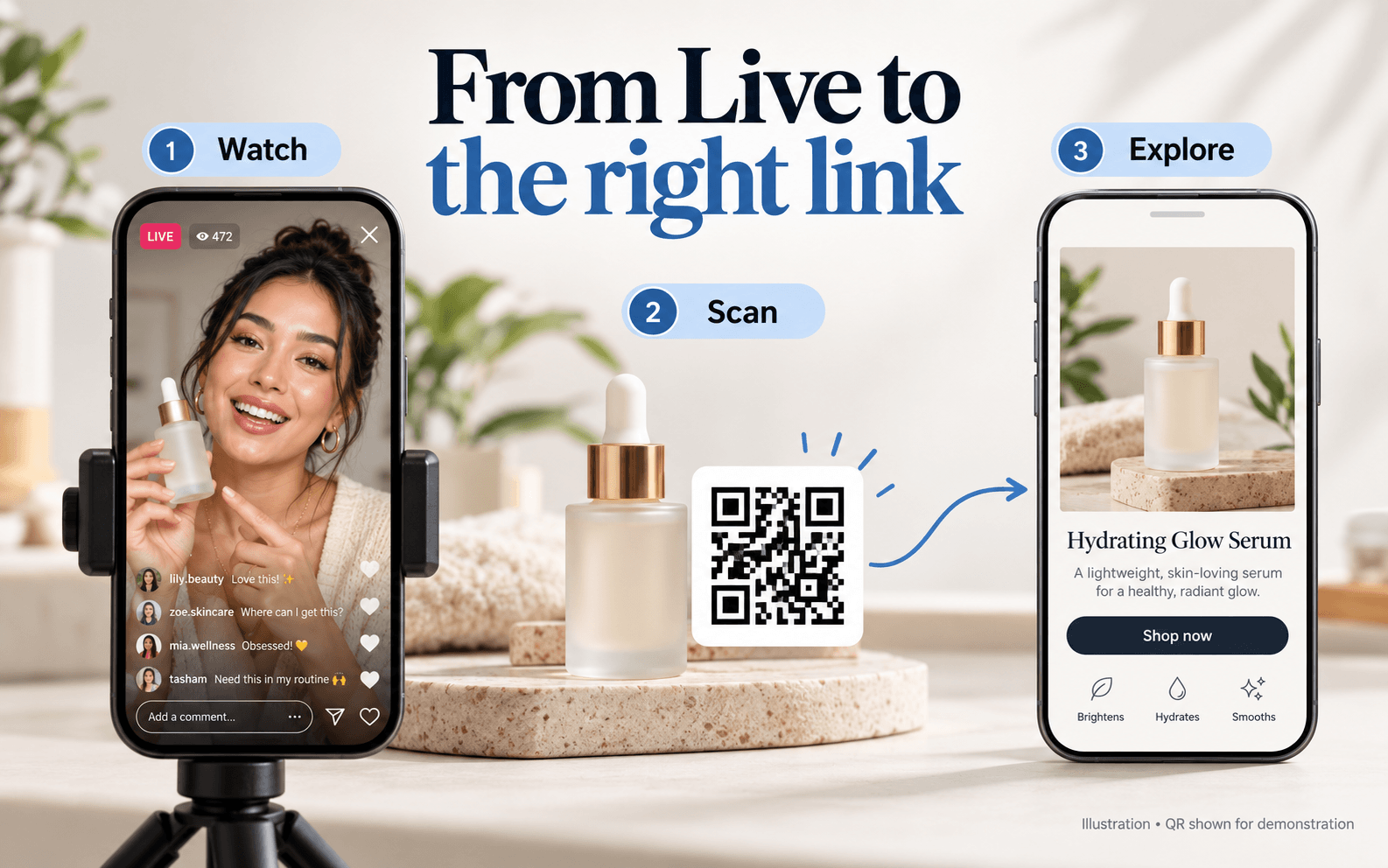
The alternative is to make the destination visible inside the product review itself. For example: SHOP THESE BOOTS QR code linked to the matching LTK destination The QR leads to the matching LTK destination. This is especially useful when someone discovers you through the feed rather than intentionally visiting your profile. Your link in bio remains available as a backup and permanent Shop hub.
The QR handles the specific product intent created by the video.
Suppose your video is: “The $89 jacket I've worn all fall.” You create the relevant LTK destination. Then use SnapScan to connect that URL to an in-video QR. During the CTA portion of the video, viewers see:
QR code linked to the matching LTK destination The path becomes: See jacket → Hear review → Want jacket → Scan → LTK Use the platform layout as a starting point, then check the result in your actual published video.
Add an LTK destination to your next product video
Choose a shareable LTK destination that matches what the viewer just saw. That gives you an important choice. Don't automatically point every QR to the front page of your Shop.
Video “Are these boots actually worth it?” CTA SHOP THESE BOOTS Destination The matching product or LTK post.
Video “3 ways I'm styling wide-leg jeans this fall.” CTA SHOP THE LOOKS Destination Relevant LTK post or Collection containing those looks.
Video “5 kitchen products I use every week.” CTA SHOP ALL 5 Destination A Collection containing those five products. Ideally, list them in a recognizable order matching the video.
Video “My current 5-minute makeup routine.” CTA SHOP MY ROUTINE Destination Relevant LTK beauty collection/post.
Video “Affordable boots vs. designer boots.” CTA SEE BOTH PAIRS Destination A simple destination containing both recommendations.
|
Product-review video |
In-video CTA |
Suggested LTK destination |
|
“I've worn these jeans for 30 days” |
SHOP THESE JEANS |
Matching product/post |
|
“3 fall outfits” |
SHOP THE LOOKS |
Outfit Collection |
|
“My everyday makeup routine” |
SHOP MY ROUTINE |
Beauty Collection |
|
“5 Amazon kitchen finds” |
SHOP ALL 5 |
Curated Collection |
|
“What's in my travel bag?” |
SHOP MY TRAVEL PICKS |
Travel Collection |
|
“5 products I repurchased” |
SHOP MY FAVORITES |
Product Collection |
|
“Designer vs affordable boots” |
SEE BOTH PAIRS |
Comparison destination |
The key is not the QR itself. It's the relationship between: what they saw → what the CTA promises → where they land.
This is important for LTK creators because roundups are common. Imagine: “10 Amazon Finds I Actually Use.” Trying to show ten separate QR codes isn't a good viewer experience. Instead, create one relevant destination containing the ten products and use:
QR code linked to the matching LTK destination A dedicated Collection keeps the recommendations together. Keep the Collection recognizable. If possible:
• Use clear product images
• Match the names to the video
• Keep the order familiar
• Avoid mixing unrelated recommendations into that destination
The goal is to prevent the viewer from having to conduct another search.
If one product performs particularly well inside the roundup, turn it into its own short video. Now you have: One video → One product → One QR → One destination That creates a much tighter intent path.
Decide where someone who liked the video should land. Use the relevant:
• LTK post
• Product recommendation
• Shop destination
• Collection
Check that the products shown in the video match the destination.
Open it yourself on mobile first. Check:
• Correct products
• Product availability
• Images
• Variants
• Destination loading
• Affiliate/link behavior
Follow LTK's current rules for sharing and disclosure.
Open SnapScan and create the QR destination.
Start your free SnapScan trial
Use a campaign/video name you can recognize later. For example: Fall Boots Review – Instagram Reel rather than: QR 17 That will make your analytics much easier to interpret later.
Upload the finished Reel, TikTok or Short. The QR should complement the video rather than dominate it.
Use the relevant platform layout/safe-area guidance. A QR positioned correctly for Instagram may not be positioned correctly for TikTok because each platform places interface elements in different locations. SnapScan's workflow includes platform-specific placement guidance for short-form content.
Keep it away from:
• Your face
• The product
• Important captions
• Product details
• Platform controls
• Like/comment/share buttons
For more detail, read: Where to Place a QR Code in Short Videos https://www.snapscan.link/blog/qr-code-placement-video
Avoid: SCAN ME Tell the viewer what they're getting. Better LTK CTAs: SHOP THESE BOOTS SHOP THE LOOK SHOP MY ROUTINE GET THIS BAG SHOP ALL 5 SEE BOTH PAIRS SHOP MY PICKS GET THE EXACT PRODUCT A good CTA should answer: Why should I scan this?
Don't automatically cover the whole product review with the code. A natural moment is often after the viewer understands:
• What the product is
• Why you recommend it
• What they can do next
Then introduce the CTA. There is no universal timing rule that works for every video. Test the exported video at actual phone size.
Before publishing: Scan the QR. Make sure it leads to the intended LTK destination. Test from a second device. Also test the same-phone method.
Post the finished video normally. Then compare: Video views with QR activity and use your LTK analytics for downstream affiliate performance.
Placement matters because your product should remain the main subject. Your QR shouldn't cover: the shoes you're reviewing the makeup result the handbag your face size or price information captions platform interface elements Instead, look for clean negative space in the frame. Use high contrast and enough clear space around the code. Most importantly:
Don't judge size from your desktop editing screen. For safe areas, sizing and placement, read: https://www.snapscan.link/blog/qr-code-placement-video
This is one of the first questions creators ask. The phone showing the QR is often the same phone the viewer would normally use to scan it. Fortunately, modern phones can recognize QR codes from what's already on screen.
Screenshot → open Photos → long press the QR → open the link
On supported devices: Long press the home/navigation area → use Circle to Search → open the QR result Another option is: Screenshot → Google Lens → open link Because device functionality varies, include a simple same-phone instruction somewhere in your caption, comments, or educational content when you're introducing your audience to the workflow. See the SnapScan Help Center for same-phone QR scanning guidance.
This strategy isn't: LTK Shop vs QR or link in bio vs QR Use each for what it does best. Your profile's LTK link is excellent as a permanent shop destination. An in-video QR is useful as a contextual route from one specific piece of content. For example: Your link in bio: Shop all my recommendations
Your video QR: SHOP THESE BOOTS Those jobs are different. The creator doesn't need to abandon one to use the other. You can read more about this distinction in Best Link in Bio Alternative for TikTok, Reels & Shorts at https://www.snapscan.link/blog/link-in-bio-alternative.
Start with reviews that still attract relevant viewers: a boot review with sizing questions, a makeup tutorial people save, or a kitchen roundup that keeps receiving comments. Choose content whose products are still available and whose recommendations still reflect your experience. The test is easier to interpret when the viewer can actually buy the item shown.
Return to the original video file, add a product-specific QR and export a fresh version for the intended platform. Adding a code to a new export does not update a video already published on a social platform. Keep the caption current, check music and usage rights for the new upload, and give returning viewers a useful reason to watch.
For an older roundup, refresh its matching LTK destination before publishing. If an item is unavailable, identify any alternative clearly rather than silently presenting it as the reviewed product. Keep the CTA aligned with what the viewer will find today.
Create a distinct QR for each video or platform version and use names you can recognize, such as Fall Boots Review Instagram October. Record the destination, publication date and CTA. Compare views and scans over the same period, and distinguish total scans from unique visitors when that reporting is available.
For a simple comparison, calculate scans per 1,000 views as scans divided by views multiplied by 1,000. In a hypothetical test, a review with 20,000 views and 80 scans produces 4 scans per 1,000 views. A second review with 5,000 views and 30 scans produces 6 per 1,000. The first sends more total scans; the second generates more scans relative to its views. These are illustrative numbers, not performance benchmarks.
A scan is not an LTK sale or a confirmed commission. Check LTK reporting for the downstream measures available to your account, and apply its attribution rules. App opening, browser behavior, repeat activity and reporting windows can complicate comparisons. Do not assume every scan becomes an identifiable LTK visit or purchase.
Change one element at a time when testing: the CTA, placement, timing or destination. Keep the product and audience as comparable as practical. Use the result to decide what to test again; one successful video does not prove that a particular placement always works.
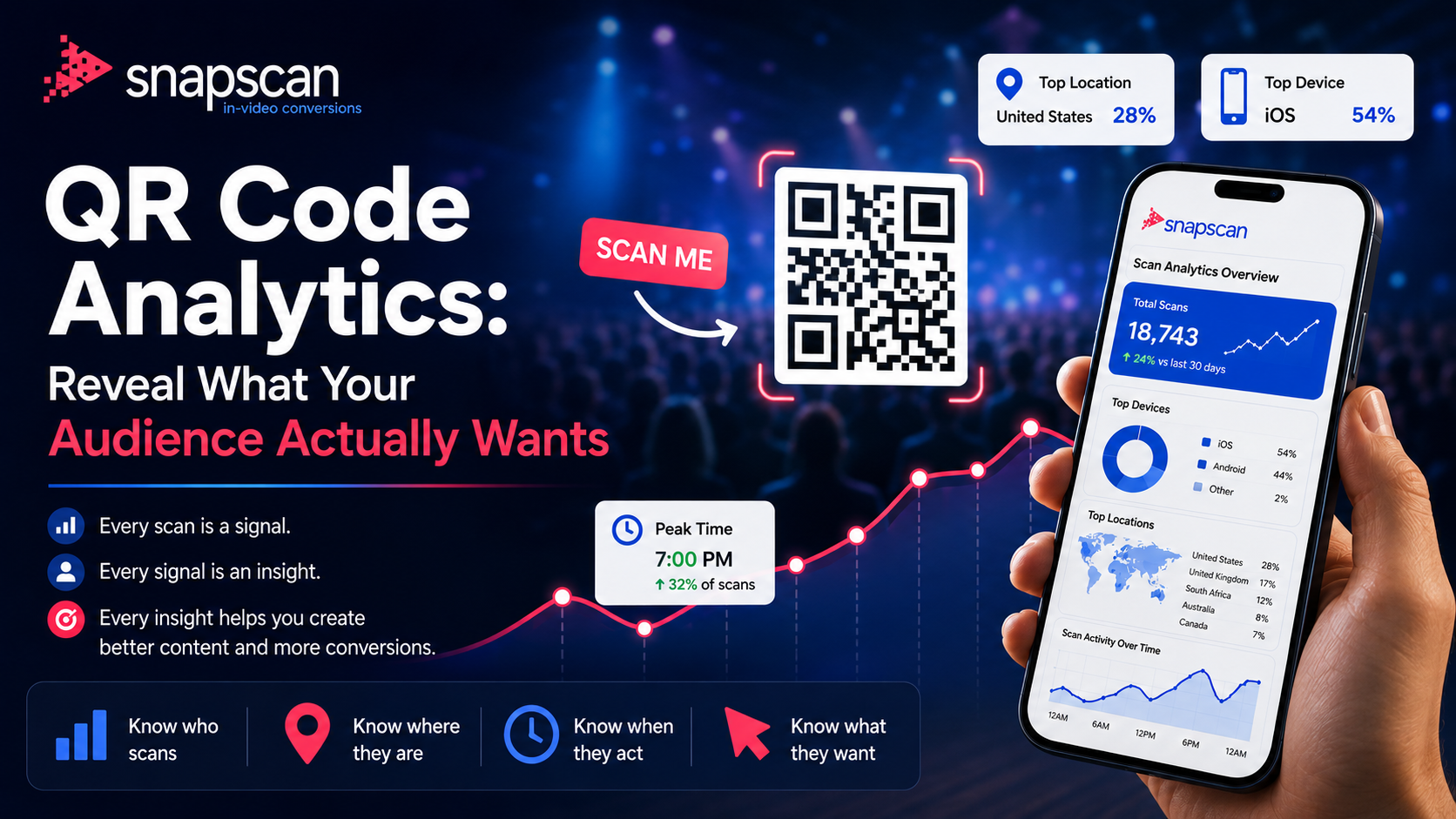
For more on interpreting activity, read How QR Code Analytics Reveal What Your Audience Actually Wants. The broader video conversion guide explains how to connect the next step with the content.
Tell viewers about the commission relationship close to the recommendation, in language they can understand. For example, I earn a commission if you buy through my links. Keep the disclosure readable and away from the QR and platform controls. A QR code does not replace disclosure. Follow the rules that apply to your audience and the terms of your affiliate program. FTC guidance for social media influencers provides a useful US reference.
A QR code can point to a shareable LTK URL. Choose the post, product destination or Collection that matches the video, and test the complete route before publishing. Confirm that the planned sharing and redirect setup follows your program terms.
Use the main Shop when viewers need your overall recommendations. For one product, outfit or routine, a matching post or Collection usually gives them a clearer next step. The destination should deliver what the CTA promises.
A second device is one option. Supported phones can also recognize a QR from a screenshot or screen search. Explain the method briefly and test it on the devices your audience uses.
Use one destination containing the featured products, such as a relevant LTK Collection. Keep names, images and order recognizable. Separate product-specific cutdowns are another way to give each item its own destination.
No. A scan records use of the code. Commission depends on qualifying activity and the affiliate program attribution rules. Review LTK reporting separately from SnapScan scan activity.
No. Results depend on the content, audience, product, destination and how easily viewers can use the code. Treat this as a measurable route to test alongside your other promotion methods.
Your review has already explained the product. Let the next step answer the question viewers are asking: where can I find the item I just watched? Choose the relevant LTK destination, pair it with a specific CTA and test the code on a phone before publishing.
Add your LTK link to your next product review with SnapScan
For a wider look at affiliate video promotion, read How to Add Affiliate Links to Instagram Reels Without Link in Bio.
LTK creator guidance — Supports cross-promotion, exact products and video education.
LTK creator platform — Supports personalized Shops, shoppable links and Collections.
LTK video posts — Supports video distribution and grouping recommendations.
SnapScan product overview — Supports destination links, QR customization, timing, export and scan reporting; plan availability can vary.
SnapScan Help Center — Scanning and product help.
FTC Disclosures 101 for Social Media Influencers — Disclosure guidance for US-facing content.
Google Search documentation updates — Current FAQ rich-result status and structured data changes.
September 25, 2026
October 5, 2026